Improved Log Search
Redesigning the overly complicated log search experience so users can find logs quicker and more accurately
Role
UX Designer
Category
Redesign
Duration
3 months
The Problem
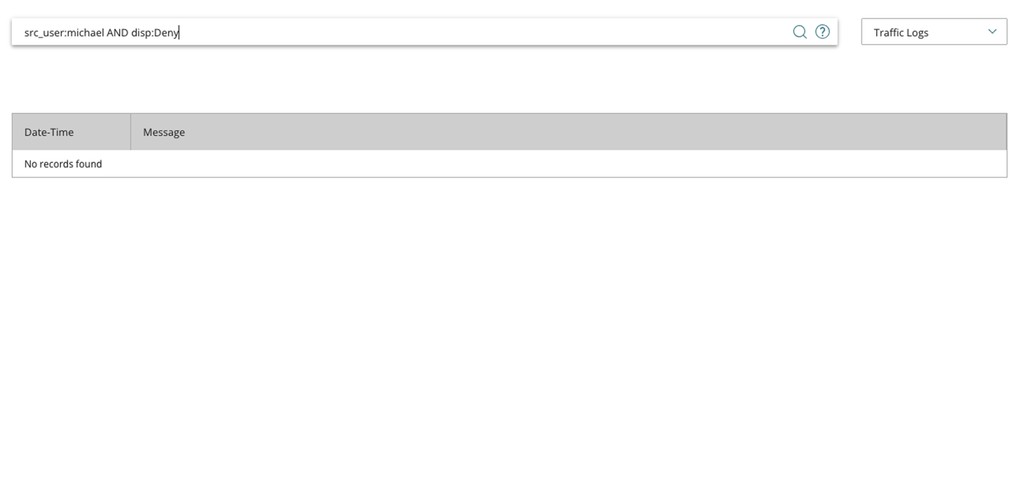
WatchGuard currently has a log search experience to search logs across different devices and services. However, these logs are only accessible via a custom query language that WatchGuard provides. The UI has no mechanism to identify incorrect queries, which leads to customers hoping the query is correct then waiting to see no results returned. When we polled the data, 63% of log searches submitted by customers returned no results due to incorrect syntax. As we designed FireCloud, we wanted to improve this experience so users would have a much higher success rate when searching for logs.
Research Results
Pulling internal data showed 63% of log searches did not have the correct syntax
When talking with customers, most customers would have to search Google to find the correct query language to use (while still typing out the language incorrectly)
More complicated queries were exponentially more likely to be incorrect
Logs were returned unformatted which made certain information hard to find
Initial Requirements Based on Research
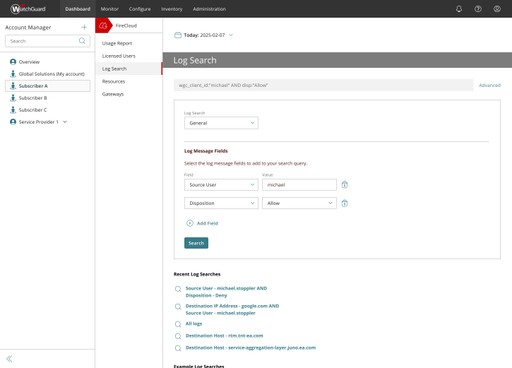
A mechanism needs to be created that does not rely on users to input the correct syntax which would allow for more accurate queries and more complex queries being possible
Logs that are returned in a readable format
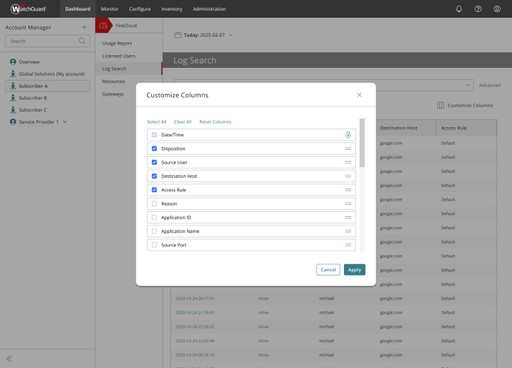
Customization of which fields of the log messages the user wants to see
The ability to still use the WatchGuard Query Language for users that are comfortable with the language and want to perform custom queries a query builder might not be able to build
The Design
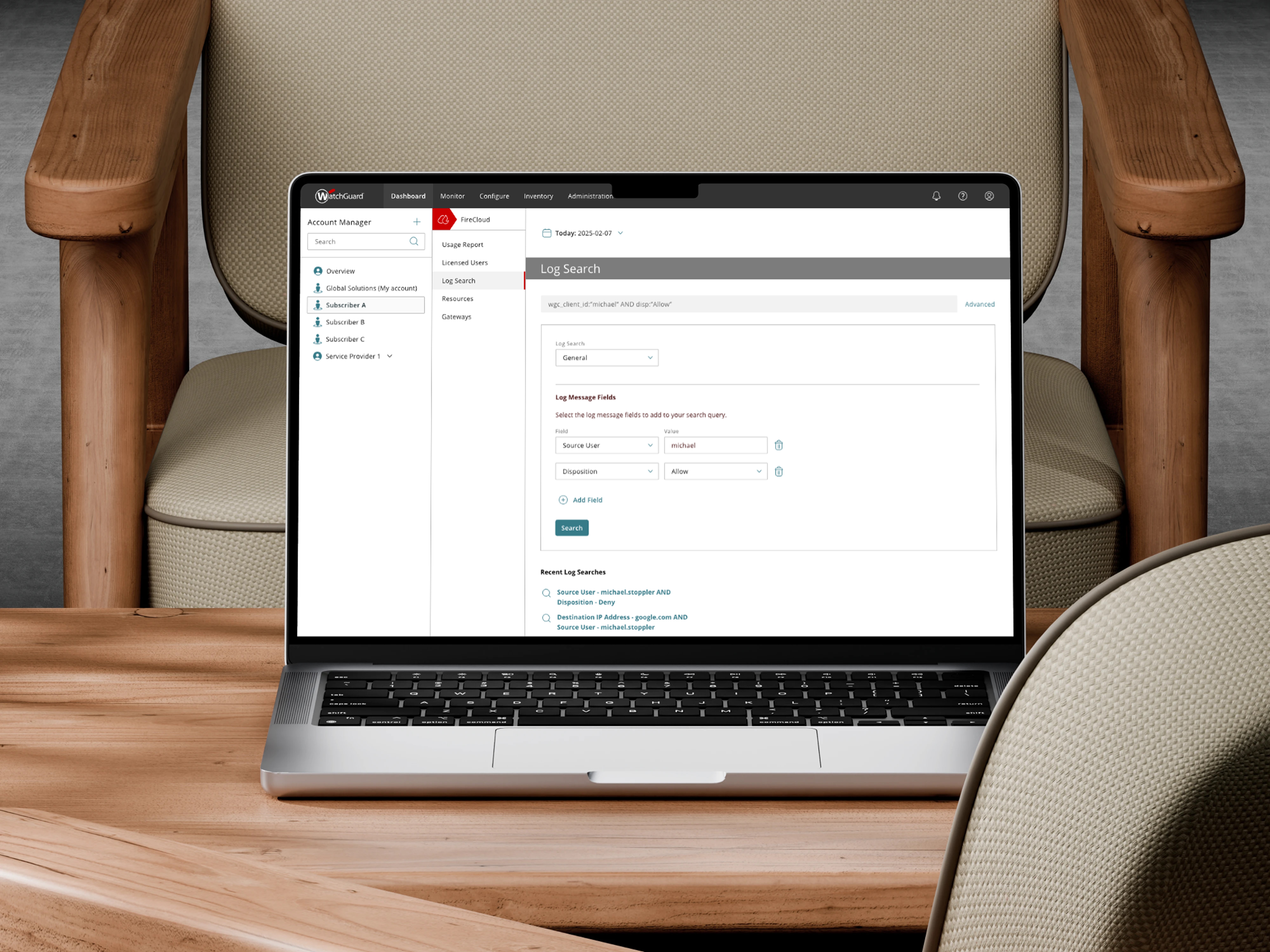
Users can switch between basic and advanced modes depending on what kind of query they want to build
Basic mode allows users to choose fields from a query builder and enter any custom information they need for the query. While selecting fields and entering information, the query is built and displayed in the input field
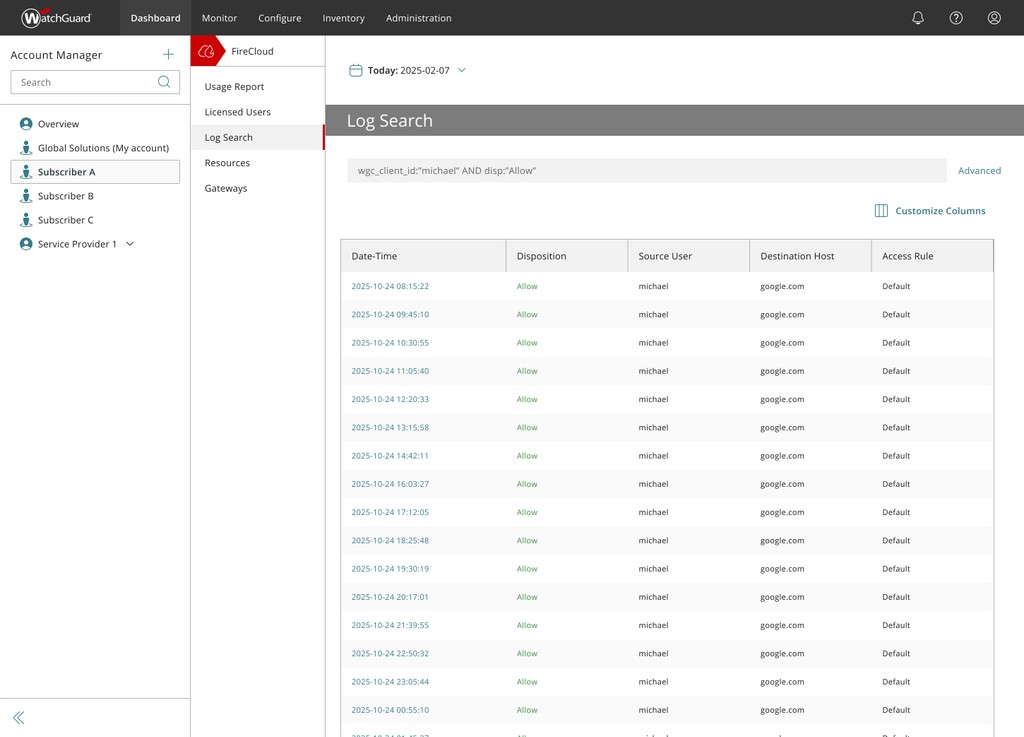
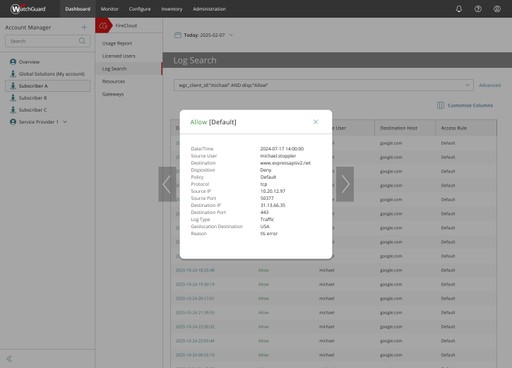
Results are returned as formatted logs in a table that is sorted by date
Users can customize which columns they want to see in the logs depending on what they are searching for
Users can move between logs with arrow keys on the keyboard or on the screen
Results
This new log search (which was introduced in the new FireCloud product) was received with amazing praise from customers and sales. Search queries improved to a staggering 96% success rate after switching to this experience and the amount of time spent on this page was cut by 40%. So many customers loved the new log search experience that other teams in WatchGuard were pressured into implementing the same UI sooner for their products sooner than they had planned.